Posts

Can't Create Domain Certificate with Custom Template in IIS Manager

I was teaching an informal class this week on certificates and Active Directory Certificate Services (AD CS). When a class is informal, you don't necessarily create detailed lab activities ahead of time. It's more like you have a general flow you want to do. Consequently, something just don't work as you expect. We used IIS Manager to create a domain certificate from the internal CA that we has setup. That part worked fine based on the Web Server template that exists automatically after installing AD CS. After that I thought this would be a great way to demonstrate superceding a template. Turns out I was wrong. The wizard in IIS Manager will only request certificates based on the Web Server template. If you take that one away, the wizard for creating a domain certificate doesn't work. We were using Windows Server 2012 R2, but this behavior is also consistent in Windows 2008/2008 R2 (IIS 7/7.5) The work around is to use the Certificates snap-in to create the certificate ...

iOS 9 Increases Security Requirements

Apple recently released iOS 9 and this is important for Exchange administrators. Many implementations of Exchange 2010 are implemented on Windows Server 2008 R2 which does not meet the security requirements for iOS 9 to connect. Apps on iOS 9 or later and OS X 10.11 or later use App Transport Security. App Transport Security defines minimum security standards that must be met for a network connection to be successful. The default behavior requires: TLS version 1.2 Perfect forward secrecy SHA256 or better for certificate signature 2048 bit or better RSA key (or 256 bit or better ECC key) If your Exchange server does not meet the App Transport Security requirements then the connection is dropped by iOS or OS X. This applies to web services. So, it will affect OWA, ActiveSync, and EWS (Outlook for Mac). We are just starting to see iOS 9 installed by clients and are in the process of ensuring that servers meet the requirements. NOTE: As of right now (Sept 20/15), iOS 9 does not appear to b...

Cannot achieve Exchange Server authentication

In a single server Exchange environment, you can get away with some misconfiguration because the Exchange servers don't need to communicate with each other. Recently I was working with a larger client that made a common configuration error on receive connectors. This client had the following configuration: multi-role DAG members in datacenter #1 multi-role DAG members in datacenter #2 all mailbox databases are replicated between the two datacenters 1 public folder database in each datacenter Message delivery was working properly between servers in datacenter #1. Only passive database copies were in datacenter #2. However, there were issues with public folder replication. Some public folders were not replicating properly from datacenter #1 to datacenter #2. Looking at the queues for servers in datacenter #2, you could see that the queue between AD sites had a large number of messages. The following error was present on the queue: 451 4.4.0 Primary target IP address responded with: ...

Hung at Couldn't Complete Updates Undoing Changes

Setting up a new VM for a client today and ran into a new issue. Well new to me. Fortunately others have seen this before. In a brand new Windows Server 2012 R2 VM (provided by Dell), I downloaded all of the available updates from Windows Update and started the installation. After a long period of time, the VM rebooted and I got the following message: We couldn't complete the updates Undoing changes Don't turn off your computer I'm a reasonably patient guy, but after 40 minutes of this I decided that waiting longer wasn't going to fix this. The first round of searching suggested that I disable Secure Boot for the VM. Apparently others had good luck with this: http://blog.powerbiz.net.au/fixes/we-couldnt-complete-the-updates-undoing-changes-error-on-windows-server-2012-r2/ Unfortunately I restarted the VM and Windows Server 2012 R2 hung in exactly the same spot again. Although I only waited about 10 minutes this time before declaring it hung. So, what's next. There i...

Framed Route Configuration for MTS Internet

Image
I recently found out that you can have multiple IPs on a MTS (Manitoba Telecom Services) Internet connection. I haven't investigated this for a long time and this was a pleasant surprise when migrating a client from a more expensive Internet connection to MTS after MTS upgraded the connectivity in their relatively remote building. Adding additional IPs with MTS is done by purchasing a framed route. The minimum size is 6 IP addresses for $9.95/month. Pretty good if you need an extra IP or two as our client did. The description of the service is here: https://www.mts.ca/mts/business/internet/features/framed+route We have the framed route up and running for the customer and it worked very well once it was configured. What we ran into was vague documentation and a support person that wasn't familiar with it and messed up the configuration on the first attempt (a second tech was very helpful and got it right). MTS provides the following document to clients: https://www.mts.ca/mts/su...

Optimize Network Connectivity for Office 365

Microsoft has just released a nice video on optimizing network connectivity for Office 365: How to optimize your network connectivity and performance with Office 365 and Azure A quick summary of the video: A lot of connectivity to Office 365 is not in your control. However, you should have an understanding of connectivity to the data center to your tenant. In some cases, MS has worked with ISPs to optimize connectivity in cases where there was obviously bad routing. For example traffic being routed unnecessarily over trans-oceanic links. If you have high latency to Office 365 you can use tools such as PSping to look at connectivity. PSping performs a connection to a service at a port number rather than using ICMP packets as regular ping does. You can also use Network Monitor to identify some issues. PSping is free from Sysinternals: https://technet.microsoft.com/en-us/sysinternals/jj729731.aspx It's important to know that DNS lookups are based on geographic location.  For exa...

Creating Shared Mailbox in a Hybrid Deployment

Image
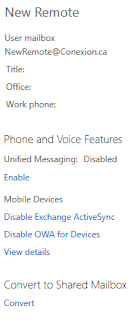
The first thing to be aware of when creating shared mailboxes in a hybrid deployment is security. Sharing mailboxes between on-premises and O365 is not supported. So, if a group of people need to share a mailbox then their mailboxes all need to be on-premises or all in O365. On-Premises Shared Mailboxes Creating an on-premises shared mailbox is pretty straight forward. Create the shared mailbox in the on-premises Exchange and it all works. In Exchange 2013, shared mailboxes are explicitly listed as a recipient type in the Exchange admin center (EAC). You can create and manage the shared mailboxes there. In Exchange 2010, shared mailboxes are not part of the Exchange Management Console (EMC). You need to create the shared mailbox by using the New-Mailbox cmdlet in the Exchange Management Shell (EMS). For example: New-Mailbox HelpDesk -shared -UserPrincipalName HelpDesk@MyDomain.com After creating the shared mailbox in Exchange 2010, you need to give users permission to access it. Assign...